If you are searching for the best phone blocker, you probably already know the usual advice.
Delete social media. Move distracting apps off your home screen. Use grayscale. Turn on screen-time limits.
Sometimes that helps. Often, it does not.
That is because different people need different levels of friction. For some, an app blocker is enough. For others, anything installed on the phone is too easy to bypass when temptation hits.
This guide compares the best phone blocker apps and physical devices in 2026 so you can choose the right level of intervention for your actual habits.
The main difference: apps vs. physical blockers
App blockers create friction.
Physical blockers create separation.
That distinction matters.
If your phone use is mostly habitual, a blocker app may be enough to interrupt the pattern. If your phone use feels compulsive, stress-driven, or easy to rationalize around, physical separation often works better because it removes the decision entirely.
Best phone blocker apps to compare first
Freedom
Best for: people who want cross-device blocking
Freedom blocks websites and apps across multiple devices, which is useful if your distractions are not just on your phone.
Pros:
- cross-device coverage
- scheduled focus sessions
- strong fit for laptop + phone distraction
Cons:
- recurring subscription
- still possible to work around in moments of weakness
- may feel like more tool than you need if your phone is the real problem
One Sec
Best for: people who need a pause before opening a distracting app
One Sec adds a short interruption before you open certain apps. That simple pause helps many people notice how automatic the urge was.
Pros:
- lightweight and simple
- strong for habit awareness
- lower commitment than a full blocker
Cons:
- easier to tap through over time
- not a serious barrier for heavier phone use
Opal
Best for: people who like analytics and a polished interface
Opal combines app blocking with a more premium-feeling experience and stronger usage tracking.
Pros:
- clean interface
- useful data and tracking
- good for people motivated by metrics
Cons:
- recurring cost
- analytics can become more interesting than actual behavior change
- still depends on your willingness not to override it
Brick
Best for: people who like a ritual-based blocking system
Brick adds an NFC tag to the experience, so starting and ending a block feels more physical than tapping a screen setting.
Pros:
- more tangible than a pure app
- simple concept
- can work well for routines
Cons:
- still not full physical separation
- tag-based systems can be easy to bypass if you are determined
- another object to keep track of
Built-in Screen Time / Digital Wellbeing
Best for: people starting with awareness
Your phone’s built-in controls are still worth using because they show you where your time is going.
Pros:
- free
- already installed
- useful for understanding patterns
Cons:
- limits are easy to ignore
- works better for awareness than enforcement
When a physical phone blocker makes more sense
If you have tried app blockers and keep overriding, uninstalling, or working around them, that is useful information.
It usually means the issue is not that you have not found the perfect app. It means your phone is too available for the kind of focus you need.
That is where physical blockers come in.
Best physical phone blocker options
Helm
Best for: people who want guaranteed separation from their phone for a set period
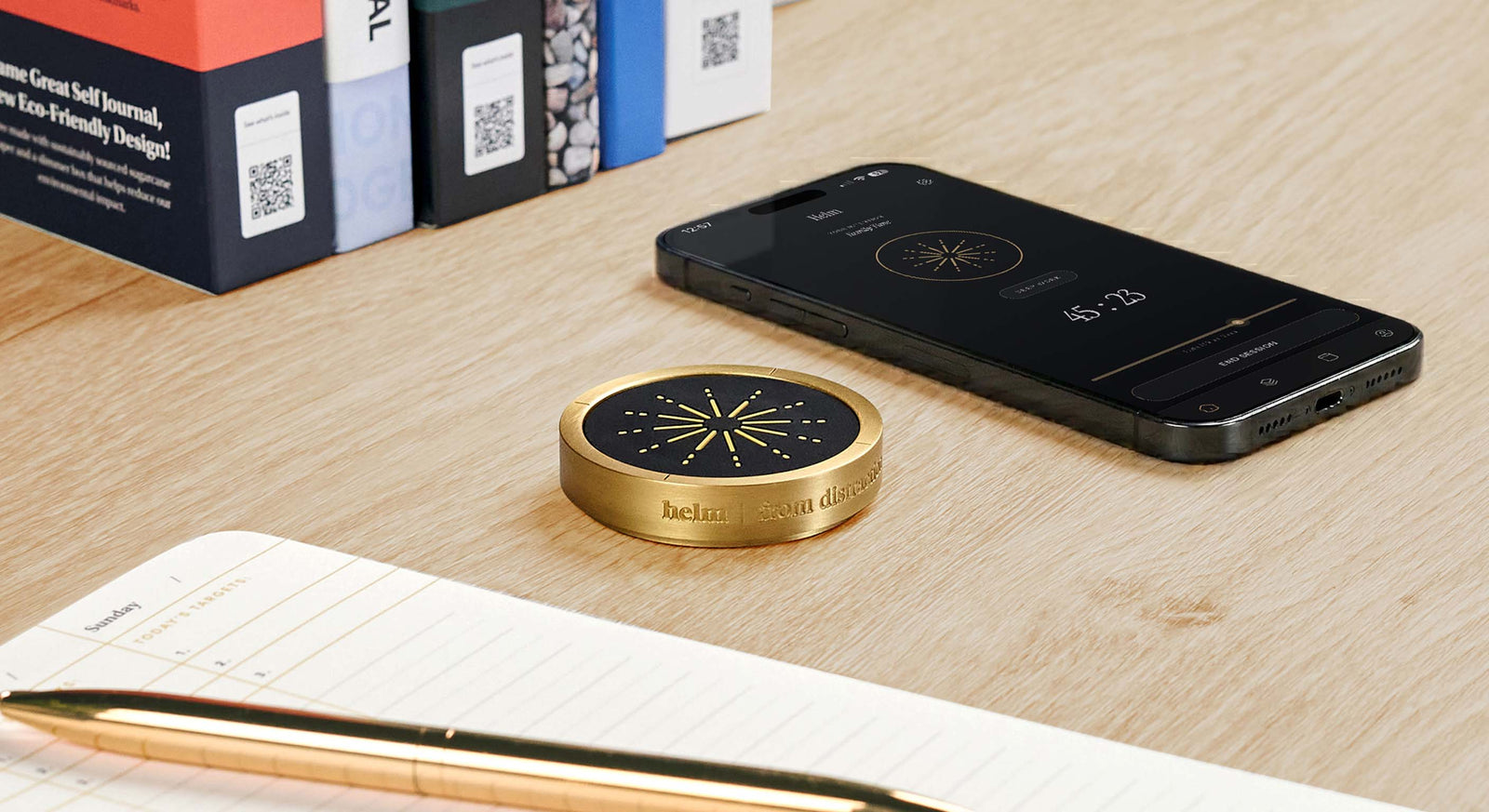
Helm is a time-lock box built specifically for your phone. You set the timer, place your phone inside, and it stays locked until the session ends.
Why it stands out:
- removes the “just this once” override problem
- creates true separation instead of digital friction
- strongest fit for deep work, studying, and intentional offline time
Tradeoffs:
- higher upfront cost
- less flexible in genuine edge cases
- not necessary for everyone
If your real issue is not awareness but access, Helm is the strongest option in this category.
[Learn more about Helm](https://bestself.co/products/helm)
Kitchen Safe
Best for: budget-conscious people who mainly want a locking container
Kitchen Safe is not phone-specific, but it can work for phones and other temptations.
Pros:
- cheaper entry point
- works for multiple habits
Cons:
- bulkier and less purpose-built
- less elegant for day-to-day phone use
Comparison snapshot
Best by use case
- Best cross-device blocker: Freedom
- Best awareness nudge: One Sec
- Best analytics-first blocker: Opal
- Best ritual-based app blocker: Brick
- Best free starting point: Built-in Screen Time / Digital Wellbeing
- Best physical phone blocker: Helm
- Best budget physical option: Kitchen Safe
What actually works for different people
If you mainly need awareness
Start with built-in screen time tracking.
If you need light friction
Try One Sec or a similar interruption-based tool.
If your laptop and phone both derail you
Freedom is probably the best fit.
If you like data and optimization
Opal may appeal to you, especially if analytics increase your follow-through.
If you have already tried apps and keep bypassing them
Move to physical separation. That is where Helm or Kitchen Safe make more sense.
Why physical separation can work better
A lot of phone habits are not really decision problems. They are access problems.
If your phone is within reach, your brain keeps negotiating with it.
Physical separation reduces that negotiation. Instead of “Should I check?” the answer becomes “I cannot check right now.” For many people, that is what finally lowers the mental noise.
Frequently Asked Questions
What is the best phone blocker overall?
It depends on your pattern. Freedom is strong for cross-device blocking. One Sec is great for awareness. Helm is strongest when you need real physical separation.
Are app blockers enough?
For some people, yes. For others, no. If you keep overriding them, that usually means you need a stronger intervention.
Is a physical phone blocker too extreme?
Not if softer options have repeatedly failed. It is just a different level of friction.
What if I need my phone for emergencies?
That is the main tradeoff with physical blockers. They work best when you can intentionally plan for offline windows.
Should I start with an app or go straight to a device?
If you are not sure how serious the problem is, start with awareness and friction. If you already know you bypass apps when it matters, skip ahead.
Final thought
The best phone blocker is not the one with the prettiest interface or the most features.
It is the one that matches the level of resistance you actually need.
For some people, that is a better app.
For others, it is finally admitting that access itself is the problem.