If you have ever checked your screen-time report and felt slightly embarrassed by the number, you are not alone.
Most people do not realize how much of their day is being broken into tiny moments of checking, scrolling, tapping, and reacting until they look at the data.
The good news is that reducing screen time does not have to depend on pure willpower. It usually works better when you change the environment, reduce triggers, and make it easier to choose something else.
This guide walks through 25 realistic strategies that can help.
Start here if 25 strategies feels like too much
Not sure where to begin? These three work for most people — pick one, run it for a week, then come back for the rest.
1. Turn off notifications for your most-used apps.
You don't have to delete anything. Just stop the apps from calling you. Notifications are the mechanism — they pull you in before you've made a choice. Turning them off is the single highest-leverage change most people make.
2. Put your phone in another room overnight.
Charging your phone in the bedroom keeps it within reach when your resistance is lowest. One room of separation changes the morning habit.
3. Pick one phone-free block each day and protect it.
Meals, the first 30 minutes of your morning, the hour before bed — it doesn't matter which. One block, protected, every day. That's the habit. Start there.
Step one: look at your current screen habits
Before changing anything, measure what is actually happening.
On iPhone
- open Settings
- tap Screen Time
- tap See All Activity
On Android
- open Settings
- tap Digital Wellbeing & Parental Controls
Look at:
- total daily screen time
- most-used apps
- pickup count
- notification count
- first phone check of the day
Writing these down makes it easier to see whether your changes are actually working.
How much screen time is too much?
Research consistently puts average daily screen use for adults somewhere between 4 and 7 hours, with mobile alone accounting for around 4 hours in most studies. (DataReportal, 2024)
That number surprises most people. It surprised the researchers too.
But the number isn't the whole picture. An hour reading on your phone isn't the same as an hour of passive scrolling. An hour of video calls with family isn't the same as an hour of news loops.
The question worth asking isn't "how much?" — it's "does what I'm doing with my screen time reflect what I actually want to do with my day?" Most people, when they look honestly, say no.
That gap — between what you're doing and what you want to be doing — is what this page is about closing.
Quick wins: 5 changes you can make fast
1. Turn on grayscale mode
A less visually stimulating phone is often a less tempting one.
2. Move distracting apps off your home screen
Make scrolling less automatic by removing visual triggers.
3. Turn off non-essential notifications
If everything is urgent, nothing is. Keep only the alerts you genuinely need.
4. Use Do Not Disturb during focus hours
Protect your most valuable time blocks from interruption.
5. Keep your phone out of the bedroom
This helps both sleep and morning habits.
What to do instead of scrolling
The hardest part of reducing screen time isn't turning the phone off. It's knowing what to do in the gap.
Scrolling fills time that would otherwise feel idle — the 3 minutes waiting for coffee, the 10 minutes before bed, the lag between one task and the next. If you don't have something to replace it, you'll reach for the phone by habit.
Some replacements that hold:
For small gaps (2–10 minutes):
- Write down one thing you're looking forward to
- Step outside for 2 minutes — literally just outside
- Do one physical thing: stretch, drink water, tidy one surface
- Text someone something specific instead of opening a feed
For longer windows (30+ minutes):
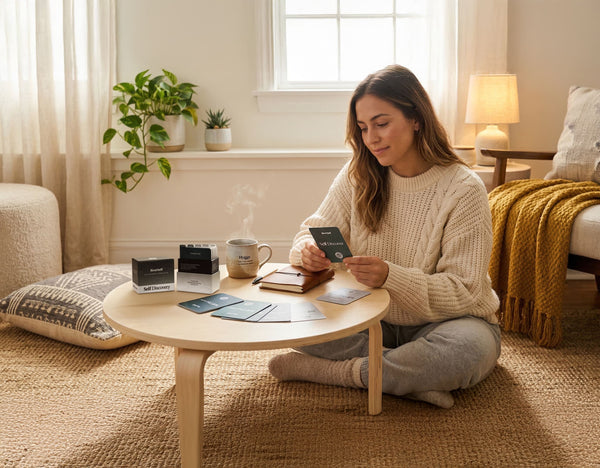
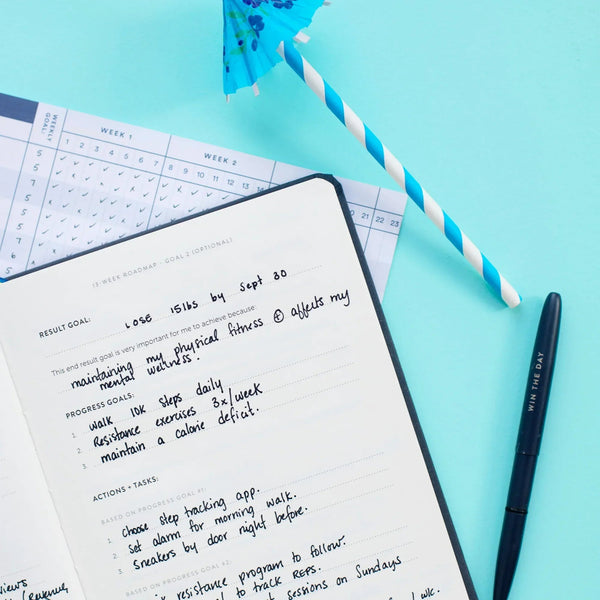
- Plan the next day. Ten minutes of intentional planning changes how the following day runs. The Self Journal gives you a structure for this — not a complicated system, just a daily page that helps you decide what matters before the day decides for you. Most people who build a morning planning habit find the phone-checking habit quietly disappears. The Self Planner is a good option if you prefer weekly structure alongside daily planning.
- Read something you've been meaning to read
- Call someone instead of scrolling their feed
- Start the thing you've been putting off because you "haven't had time"
The common thread: give your hands something to do and your brain a real problem to hold. Scrolling competes with boredom. It doesn't compete well with doing something you actually care about.
Physical changes that make screen time harder to default to
6. Create phone-free zones
Good options include the bedroom, dining table, or work desk.
7. Keep your phone in another room while working
Distance helps. Even a little physical separation can break automatic checking.
8. Use a physical phone blocker if you need stronger structure
For some people, app limits are enough. For others, they are too easy to override.
That is where a physical blocker like [Helm](https://bestself.co/products/helm) can help. It creates real separation instead of just another setting to ignore.
9. Give your phone a parking spot
A shelf, drawer, or charging station works better than carrying it around by default.
10. Stack phones during meals
If you are with other people, make shared screen-free time a social norm.
App-based guardrails that can still help
11. Use built-in app limits
They are not perfect, but they increase awareness.
12. Try app blockers
Tools like Freedom, One Sec, Opal, or Cold Turkey can add friction.
If you want to pair screen time visibility with actual focus blocks, Helm Focus puts both in one place — you're not just watching the number, you're building the habit of protecting time from it.
13. Set specific time limits on social apps
A cap is often more realistic than vague intentions to "use it less."
14. Use Focus modes strategically
Different contexts need different rules: work, sleep, family time, weekends.
15. Schedule phone time instead of reacting all day
For example: check social media at lunch and again in the evening, rather than every time the urge appears.
Habit strategies that change the pattern
16. Use the 10-second pause
Before picking up your phone, ask yourself why.
17. Track your triggers for a day
Notice what tends to come right before the urge:
- boredom
- stress
- awkward silence
- procrastination
- fatigue
18. Replace scrolling with a specific alternative
Have a default substitute ready:
- read a few pages of a book
- take a short walk
- do a few stretches
- text someone something real
- write for five minutes
19. Create a digital sunset
Pick a screen cutoff time in the evening and stick to it most nights.
20. Take phone-free walks
Leave your phone behind sometimes. That alone can reset how dependent it feels.
Lifestyle changes that help screen-time limits stick
21. Build better offline hobbies
If there is nothing more engaging than your phone, your phone will keep winning.
22. Schedule screen-free activities
Treat them like real commitments.
23. Read physical books instead of always reading on a device
This lowers the temptation to bounce between reading and checking apps.
24. Try a weekend digital detox
Even one screen-light Saturday can teach you a lot about your patterns.
25. Build morning and evening routines that do not start with your phone
The first and last hour of the day tend to shape the rest. A structured morning routine checklist can make the phone-free morning habit concrete rather than aspirational.
How to reduce screen time by situation
Most of the strategies above work for everyone. But the specifics shift depending on your situation — what you're fighting, who else is involved, and what you're trying to protect.
How to reduce screen time for adults
The main challenge for most adults isn't knowledge — it's the habit groove that's been worn in for years.
A few things that help:
Start with your phone's built-in data. Before adding any new habit, spend one week just looking at your screen-time report honestly. Most adults underestimate by 30–40%. Seeing the real number is often enough to create genuine motivation.
Map your worst windows. Adults tend to have 2–3 high-risk periods: right after waking up, during commute, and the hour before bed. Handle those three windows and you'll cut the total meaningfully.
Tie screen limits to something you already care about. Not "I should use my phone less" — try "I want to be present at dinner" or "I want to read before bed." Specific intentions stick better than general goals.
Use a morning planning routine as the replacement habit. Instead of starting the day by checking your phone, block 10–15 minutes to write down your priorities for the day. A Self Journal or Self Planner puts that structure on paper, which naturally pushes the phone out of the morning slot. See also: how to build a morning routine that doesn't start with your phone.
The goal isn't zero — it's intentional.
How to reduce screen time for kids
If you're managing screen time for a child, the challenge is different from managing your own: you can set rules, but rules without understanding tend to cause conflict rather than real change.
A few approaches that work better than pure restriction:
Explain the why in concrete terms, not lectures. Kids respond to specific cause-and-effect: "When you watch screens close to bedtime, your brain has trouble settling, which is why you feel tired but can't sleep." That's different from "too much screen time is bad."
Make the alternatives obvious and available. If the only option after screens are off is boredom, expect pushback. Having art supplies out, a book visible, or a game within reach makes the transition easier.
Use built-in parental controls, but explain them. Apple Screen Time, Google Family Link, and Amazon Parent Dashboard let you set limits. Walk through the settings with your kid — it's a conversation, not just a consequence.
Create screen-free family rituals. Shared meals, a walk after dinner, game nights. The ritual matters more than the rule: you're building a family norm, not just enforcing a limit.
Model what you're asking for. If your phone is always in your hand, your kids will reach for theirs. The environmental cues you create for yourself signal what's normal.
How to reduce screen time for couples
Screens in relationships tend to create a quiet drift — not a fight, just a slow disconnection. Two people in the same room, both looking at separate screens.
The useful question: are your screens competing with each other, or are they a shared problem you're solving together?
Make it a shared project, not a rule. "We both want to be more present at home" lands differently than "you're on your phone too much." Framing it as a shared goal rather than a criticism changes the whole dynamic.
Create phone-free rituals together. Morning coffee before phones, a no-screen dinner a few nights a week, a "phones in the kitchen" rule after 9pm. These work because they're shared commitments — you're both accountable.
Use commute or wind-down time for conversation, not separate scrolling. If you're in the car together, that's 20 minutes of conversation that often gets replaced by podcasts or social media. Small window, real impact.
Notice parallel scrolling. This is the most common pattern: sitting next to each other while both scroll in silence. It's not catastrophic, but recognizing it — and occasionally choosing a different default — adds up.
Try a weekly check-in instead of screens on Friday night. Pick one evening a week for a conversation instead of something to watch. It doesn't have to be deep — reviewing the week, talking about something you're looking forward to. Something that doesn't have a screen in the middle of it.
How to reduce screen time at work
Work is complicated because many jobs genuinely require screen time. The goal isn't less screen time in total — it's more intentional screen time.
Separate work from social. The biggest drain for most people isn't actual work — it's the social media and news checking that bleeds in during the day. Block those on your work device or use Focus mode so they're not one tab-switch away.
Use Pomodoro-style blocks. 25 minutes of focused work followed by a 5-minute break — and the break should be away from screens, not a switch to your phone. Stand up, walk, refill water. Your brain benefits more from a real rest than a scroll.
Schedule email and message checks. Responding to every notification in real time breaks focus constantly. Batch to 2–3 set windows per day: mid-morning, after lunch, end of day. Most things can wait an hour.
Turn off desktop notifications by app. Social, news apps, and non-critical Slack channels don't need to interrupt your work screen. Keep only what genuinely requires real-time response.
Protect the first 30 minutes of your workday. Before opening email or Slack, spend 10–15 minutes writing down your three most important tasks for the day. Starting from your own priorities rather than from other people's requests sets the day up differently.
Special situations
If you are a student
Try:
- studying with your phone in your bag or another room
- using website blockers during study sessions
- working in phone-unfriendly environments like the library
If you work on a computer all day
Focus on reducing unintentional screen use outside work:
- fewer phone checks during the workday
- clearer work/personal screen boundaries
- breaks that do not involve another screen
If your biggest issue is bedtime scrolling
Start with:
- charging your phone outside the bedroom
- setting a digital sunset
- keeping a physical book near the bed
Why environmental design matters so much
A lot of screen-time advice quietly assumes that you will keep making the right choice over and over again in the same tempting environment.
That is hard.
It is usually easier to make the environment do more of the work.
That is why strategies like removing apps, turning off notifications, creating phone-free zones, or using physical blockers can work so well. They lower the number of decisions you have to win.
What benefits people usually notice first
When people reduce screen time, the first gains are often:
- better sleep
- less mental fragmentation
- longer attention span
- more presence with other people
- more time for reading, hobbies, exercise, or rest
The changes are often smaller at first than people expect, but they add up quickly.
Frequently Asked Questions
How do I reduce screen time on iPhone?
Go to Settings > Screen Time to see your usage by app and category. From there you can set App Limits for specific apps, schedule Downtime (a time window where only certain apps work), and turn off notifications by app. The strongest move is also the simplest: turn off non-essential notifications for all social and news apps. Less interruption means fewer opens.
How do I reduce screen time on Android?
Open Settings and search for "Digital Wellbeing" (the name varies by manufacturer — Samsung calls it "Digital Wellbeing and parental controls"). From there you can set daily app timers, schedule Focus Mode to pause distracting apps, and view your daily usage by app. Turning off notifications in Settings > Notifications is worth doing separately — it's the highest-leverage single change.
How much screen time is healthy for adults?
There's no official threshold for adults, and the research doesn't support a single "right" number. What matters more is whether your screen time is interfering with sleep, attention, relationships, or mood. If you're checking your phone compulsively, struggling to be present with people, or feeling worse after using social media — those are more useful signals than the raw hour count.
How much screen time is healthy for kids?
The American Academy of Pediatrics recommends no screen time for children under 18–24 months (except video calls), one hour per day for kids 2–5, and consistent limits with media-free time for school-age kids. For teenagers, the guidance shifts from strict limits to teaching media literacy and self-regulation. Screen content and context matter as much as time: passive scrolling and video games aren't equivalent, and family time on screens is different from solo use.
Why is it so hard to reduce screen time?
Screens are designed to be used compulsively. Variable reward (you never know what the next scroll will show you), social validation loops, and removal of natural stopping points are all built into the products deliberately. That's not an excuse — it's a design reality. It's why environmental changes (removing apps, turning off notifications, physical separation) work better than willpower alone. You're not fighting your own discipline; you're fighting a design.
Are app blockers enough to reduce screen time?
For some people, yes. For others, the apps are too easy to override — you can tap "dismiss limit" in three seconds on iOS. If you keep bypassing your own limits, you probably need stronger friction: a physical blocker, a device-level rule, or a structural change like leaving your phone in another room. The right tool is the one you'll actually use.
Do physical phone blockers actually help?
They help a specific type of person: someone who knows they want to stop but keeps overriding the impulse in the moment. A physical blocker like Helm removes the option of override — the phone is away, and the decision has already been made. That's useful when the issue is access and habit-momentum rather than just awareness.
How do I reduce screen time without feeling anxious about missing something?
Start small. You don't have to turn everything off at once. Pick one context — meals, the first 30 minutes of your morning, or the hour before bed — and protect just that. Most people find that nothing important actually happens in those windows that couldn't wait. The anxiety tends to decrease after a week of noticing that you didn't miss much.
How do I reduce my kids' screen time without constant conflict?
Make the alternatives obvious and present. Conflict around screen time usually spikes when there's nothing else to do — boredom creates pressure back onto the screen. Having physical alternatives visible and available (art supplies, books, outdoor options) makes the transition easier. Also, shared family rituals matter more than rules: a dinner table policy that everyone follows, including parents, becomes a norm rather than a punishment.
Can reducing screen time improve sleep?
Consistently, yes. Blue light exposure close to bedtime suppresses melatonin production, which delays sleep onset. But the behavioral effect is probably as strong as the physiological one: checking notifications, scrolling news, or watching content activates the brain rather than settling it. Most people who remove screens from the hour before bed fall asleep faster and report waking up more rested. It's one of the highest-ROI changes you can make without changing anything else.
How do I reduce screen time at work when my job requires a computer?
Focus on reducing unintentional screen time, not total screen time. The target is social media, news, and messaging apps during work hours — not your actual work tasks. Use Focus mode or a site blocker to limit non-work sites during deep-work windows. Batch email to 2–3 checks per day. Keep your phone out of reach. The goal is to protect the hours you're already at a screen from being diluted by additional, compulsive screen use layered on top.
What's a realistic first step for someone who checks their phone constantly?
Turn off all non-essential notifications — social media, news, non-critical apps. Do it right now: go to Settings, open each app one by one, and turn notifications off. Keep only what genuinely needs to reach you in real time (calls, texts from specific people, alarms). Most people find this single change reduces opens by 20–30% without any other effort. The phone stops calling you; you stop responding automatically.
The planning habit that replaces the scrolling habit
If you want to use your phone less, it helps to have something concrete to do instead. The Self Journal gives you a simple structure for planning your day — what matters, what to protect, what to set aside. Most people find that a consistent morning planning routine quietly replaces the habit of checking their phone first.
Start small
You do not need all 25 strategies at once.
Pick a few:
- one quick win
- one environmental change
- one habit replacement
- one evening rule
That is enough to start seeing the pattern differently.
Reducing screen time is not about becoming anti-technology. It is about using technology more deliberately and letting it take up less of your life by default.